Google Business Profile Photos: 12 Best Practices to Attract More Local Customers
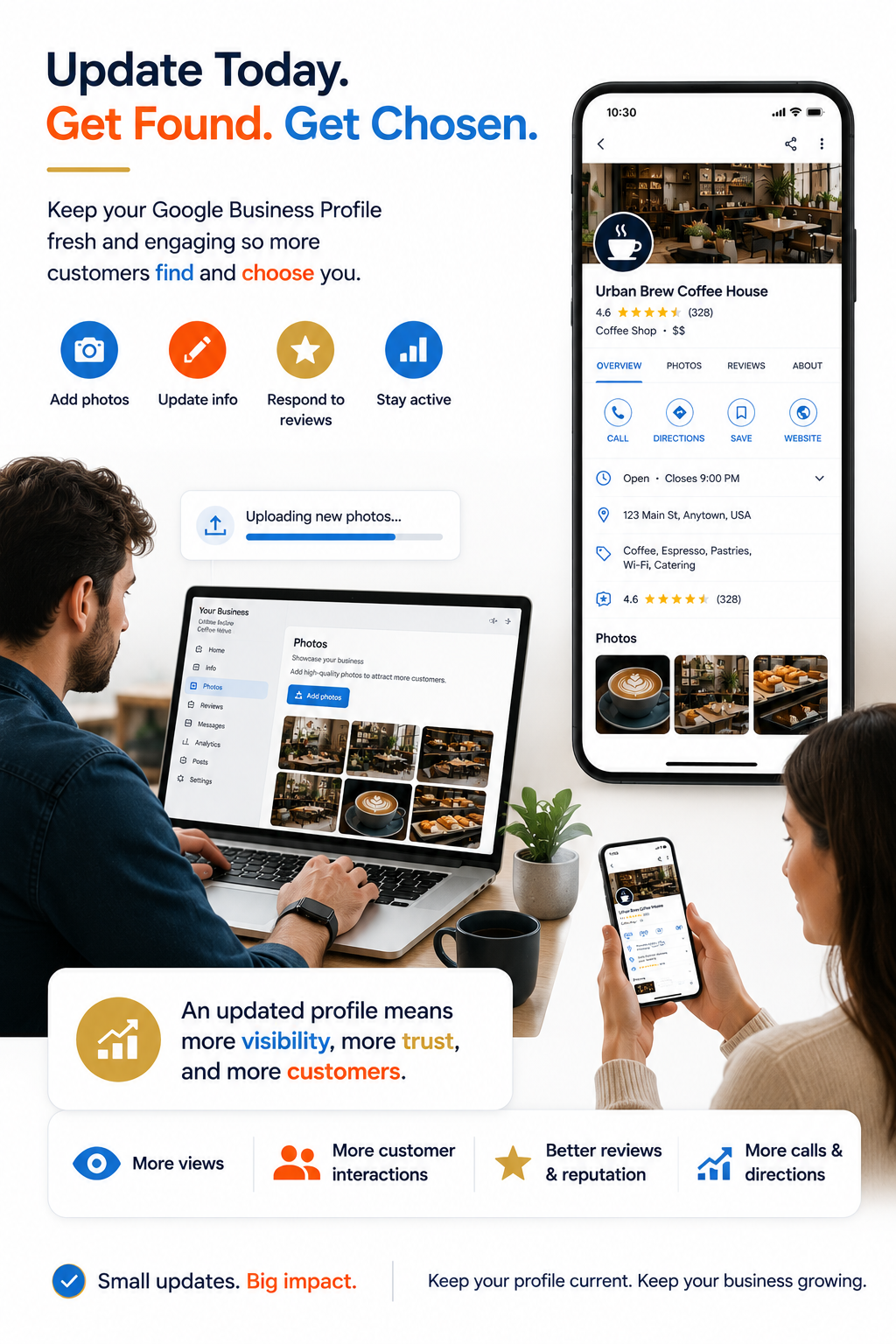
When someone searches for a local business, they usually compare several options within seconds. While ratings and reviews matter, photos often create the very first impression.
Good photos build confidence. Poor or outdated photos can make even an excellent business look inactive or unprofessional.
Whether you run a restaurant, salon, clinic, gym, retail store, or coaching centre, keeping your Google Business Profile photos updated is one of the simplest ways to make your business more attractive online.
Why Photos Matter on Google Business Profile
Your Google Business Profile is often your digital storefront. Customers use it to decide whether they should visit your business, contact you, or continue searching.
Fresh, high-quality images help customers:
- Understand what your business looks like
- Recognize your location
- Build trust before visiting
- See your products or services
- Feel more confident about choosing you
Think of your photos as answering questions before customers even ask them.
#1: Use a Clear Logo
Your logo helps customers instantly recognize your business across Google Search and Google Maps.
Use a high-quality version with a clean background whenever possible.
#2: Upload a Professional Cover Photo
The cover photo should represent your business at its best.
Choose an image that immediately communicates your business, whether it's your welcoming restaurant, stylish salon, modern clinic, or attractive showroom.
You don't need a professional camera—most modern smartphones are more than capable.
#3: Keep Photos Recent
Many businesses upload photos once and forget about them.
Customers appreciate seeing current images that accurately represent your business today—not several years ago.
Adding new photos regularly also shows that your business is active.
#4: Show Your Team
People prefer doing business with people.
Professional team photos help make your business feel welcoming and trustworthy.
You don't need a professional studio—good lighting and genuine smiles often make the biggest difference.
#5: Highlight Your Products or Services
Show customers exactly what they'll receive.
For example:
- Restaurants can showcase signature dishes.
- Salons can display hairstyles.
- Clinics can highlight reception areas and consultation rooms.
- Gyms can feature equipment.
- Retail stores can display popular products.
Real photos work better than generic stock images because they reflect your actual business.
#6: Include Interior and Exterior Photos
Products matter—but context matters too.
Customers like knowing what to expect before arriving.
Exterior photos make your location easier to identify, while interior photos help customers feel familiar before their visit.
This is especially useful for first-time visitors.
#7: Use Good Lighting
Bright, natural lighting almost always produces better results.
Avoid blurry, dark, or heavily edited photos that hide important details.
Simple, clear images usually perform better than overly artistic ones.
#8: Maintain Consistent Quality
Your gallery should feel consistent.
Mixing high-quality images with poor-quality photos creates an uneven impression.
Before uploading, ask yourself:
- Is it sharp?
- Is it well lit?
- Does it represent my business today?
If the answer is yes, it's probably worth publishing.

#9: Add Photos Across Different Categories
Don't upload only product photos.
A balanced gallery could include:
- Logo
- Cover image
- Exterior
- Interior
- Team
- Products
- Services
- Customer experience (without revealing customer privacy)
A complete gallery helps customers understand your business more quickly.
#10: Remove Outdated Photos When Appropriate
Businesses change over time.
If your branding, interiors, menu, or services have changed significantly, update your gallery so it reflects your current business accurately.
Consistency builds trust.
#11: Make Photo Updates Part of Your Routine
Instead of uploading dozens of images once a year, make photo updates a regular habit.
For example:
- New seasonal decorations
- New products
- Renovations
- Events
- Team celebrations
Small updates over time help keep your profile fresh.
#12: Connect Photos with an Updated Business Profile
Photos work best when the rest of your profile is accurate too.
Check regularly that your:
- Business hours
- Phone number
- Address
- Services
- Business description
- Categories
All reflect your current business.
A complete and updated profile gives customers confidence.
Example
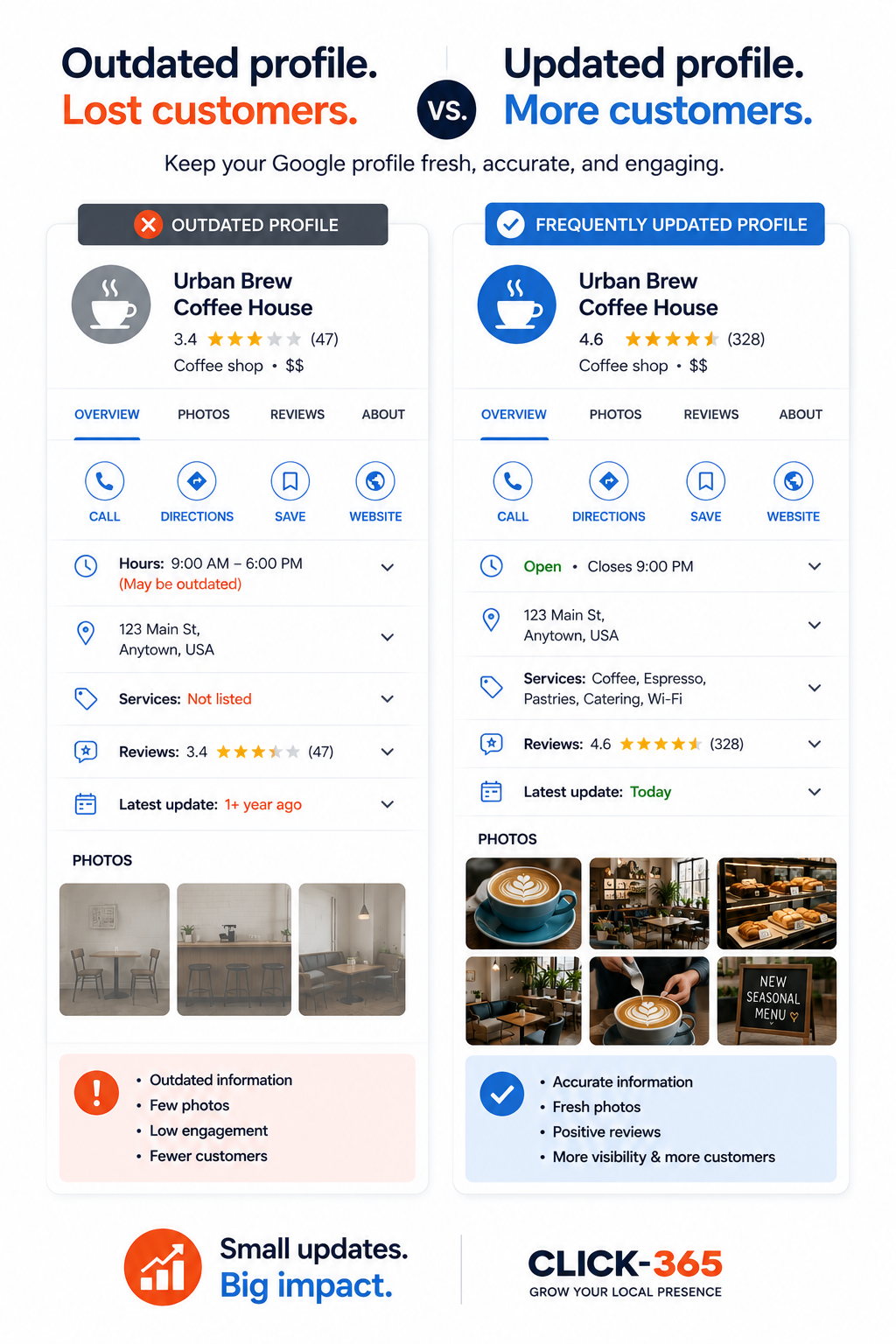
Imagine two cafés located on the same street.
Both serve excellent coffee.
One profile has three blurry photos from four years ago.
The other has recent interior photos, smiling staff, fresh menu images, and an inviting storefront.
Most customers are naturally more likely to visit the second café because they know what to expect before arriving.
That's the power of a well-maintained Google Business Profile gallery.
How many photos should I upload to my Google Business Profile?
There isn't a fixed number, but a variety of high-quality photos covering your business, products, team, and location creates a stronger impression than only a few images.
How often should I update my business photos?
Whenever there are meaningful changes such as new products, renovations, seasonal displays, or special events. Regular updates help keep your profile current.
Can I upload photos taken with my smartphone?
Yes. Modern smartphones can capture excellent photos if you use good lighting and keep the images clear and sharp.
Do photos really influence customer decisions?
Yes. Photos help customers understand your business, build trust, and feel more confident before visiting or contacting you.
Should every type of local business upload photos?
Absolutely. Restaurants, salons, clinics, gyms, hotels, retail shops, coaching centres, and many other local businesses all benefit from maintaining an updated photo gallery.
Can CLICK-365 help manage my Google Business Profile?
Yes. CLICK-365 helps manage your entire Google Business Profile, including keeping important profile information updated, responding to reviews using AI, publishing weekly SEO content, turning customer reviews into social media content, and helping businesses maintain a strong and active online presence. Businesses can also use CLICK-365's Smart QR Code and Smart Link to make it effortless for customers to leave a public Google review or send private feedback.
Conclusion
Your Google Business Profile photos are more than just images—they're often your first opportunity to earn a customer's trust. By keeping your gallery fresh, accurate, and representative of your business, you make it easier for people to choose you with confidence.